

Download App
Home » Downloads
android
iLED Color App
Works for LED Model No : QT1632, QT1664, QT1696
Download App
ios.playstore
iLED Color App
Works for LED Model No : QT1632, QT1664, QT1696
Download App

FAQ - Frequently Asked Questions
  • Download iLED Color App from Google Play Store / App Store
  • Connect the LED Display Panel via Type-C USB Cable (Input Voltage must be 5V/2A)
  • From your phone Turn-on  Bluetooth and Location

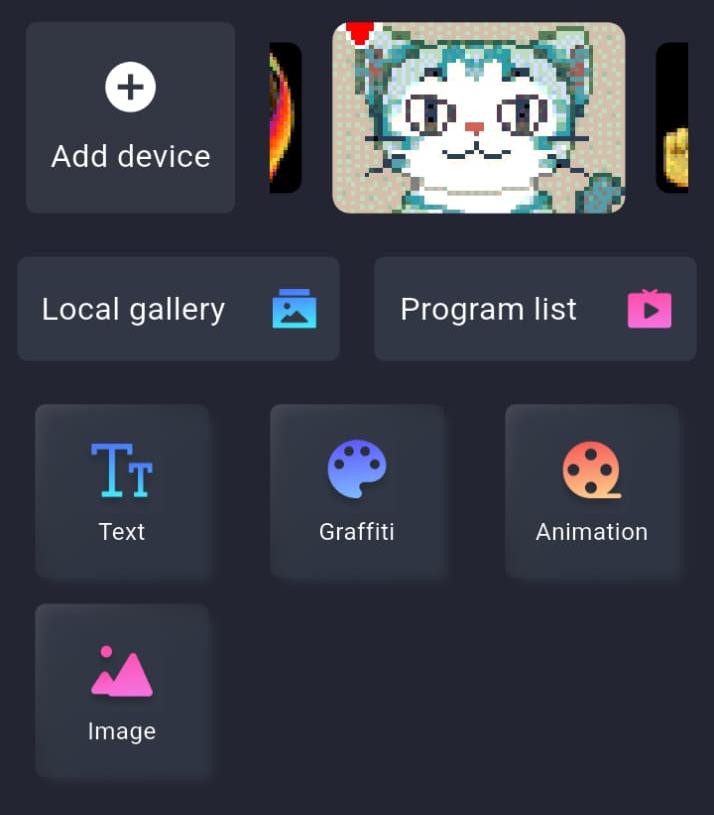
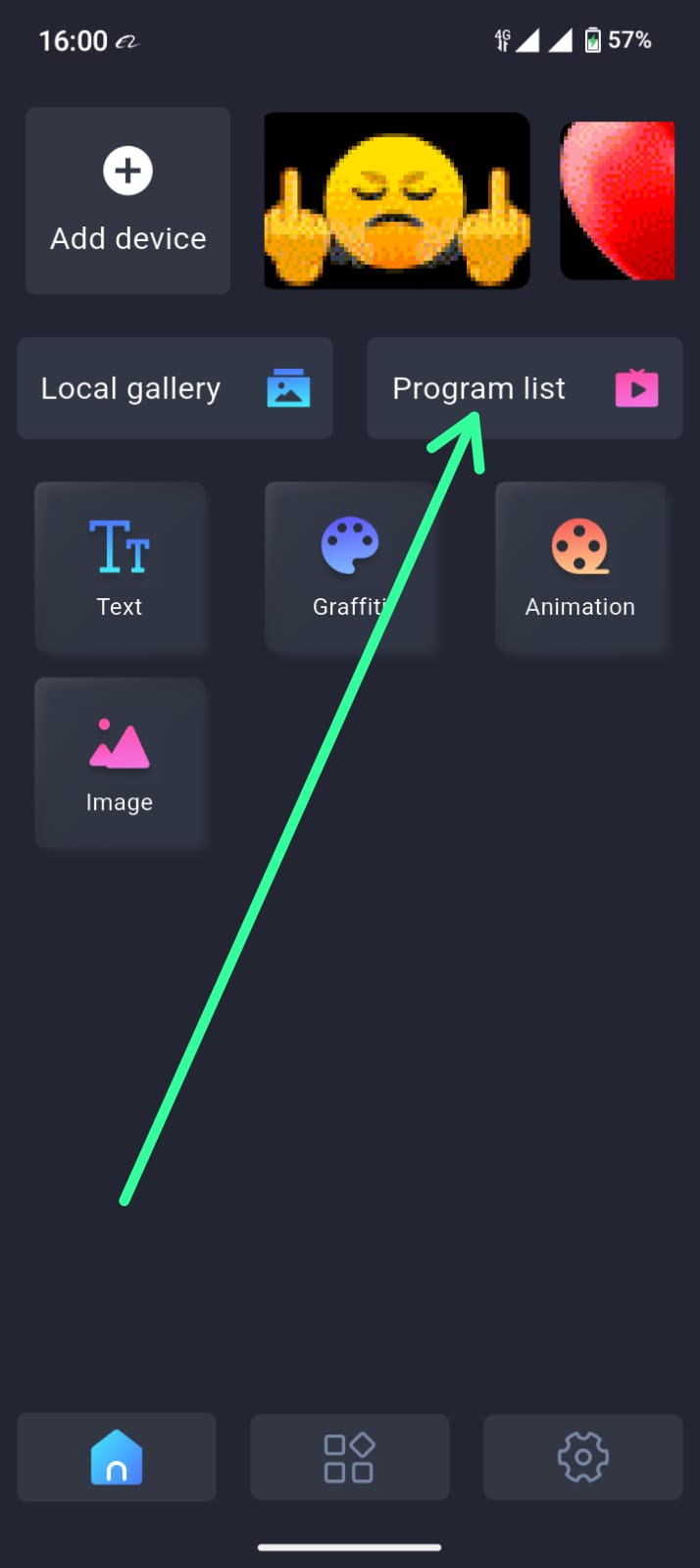
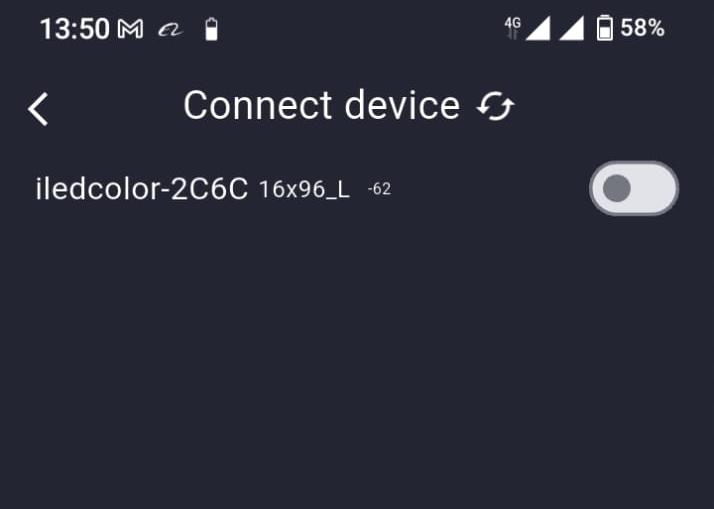
Open the ILEDCOLOR app on your mobile device, tap the option to Add Devices, and then connect to your specific product code displayed on the screen.

The app's home screen interface is shown, illustrating the device discovery and connection process.
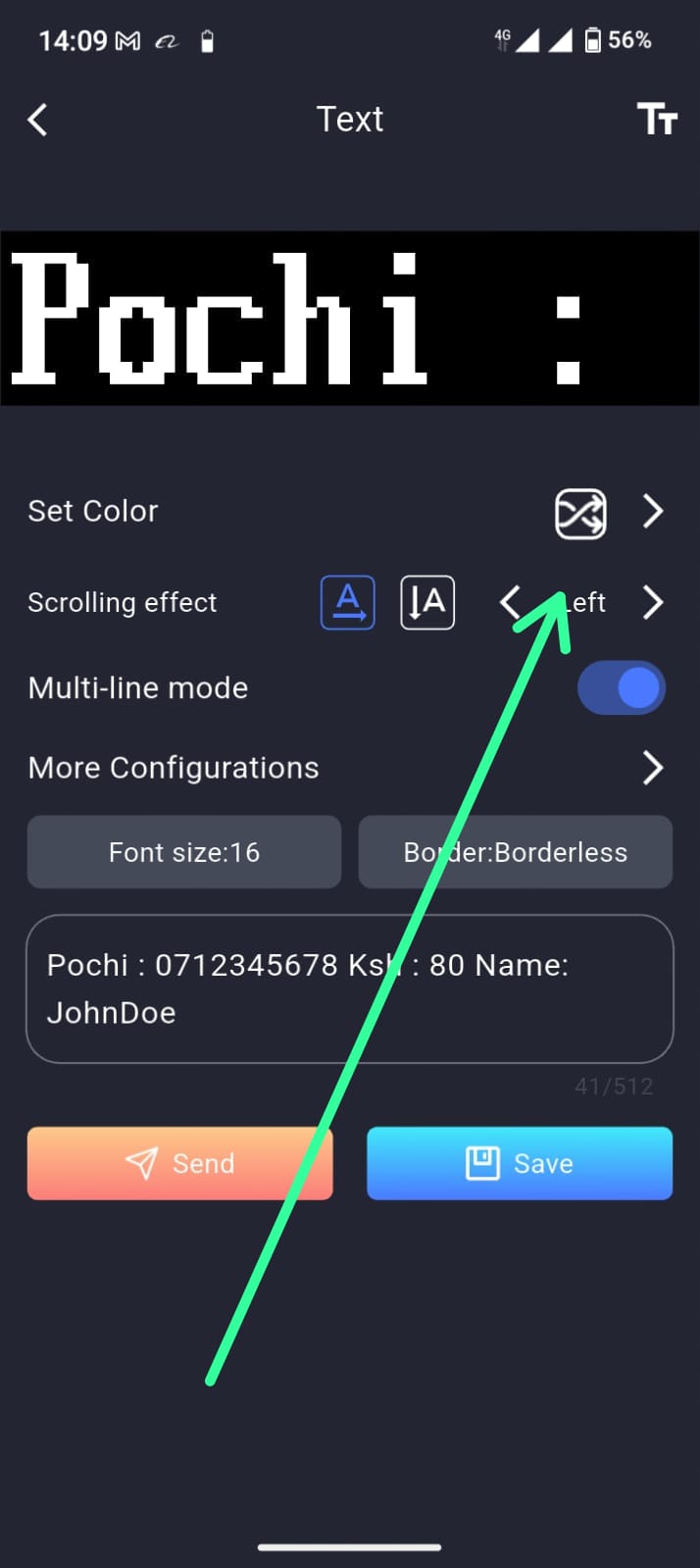
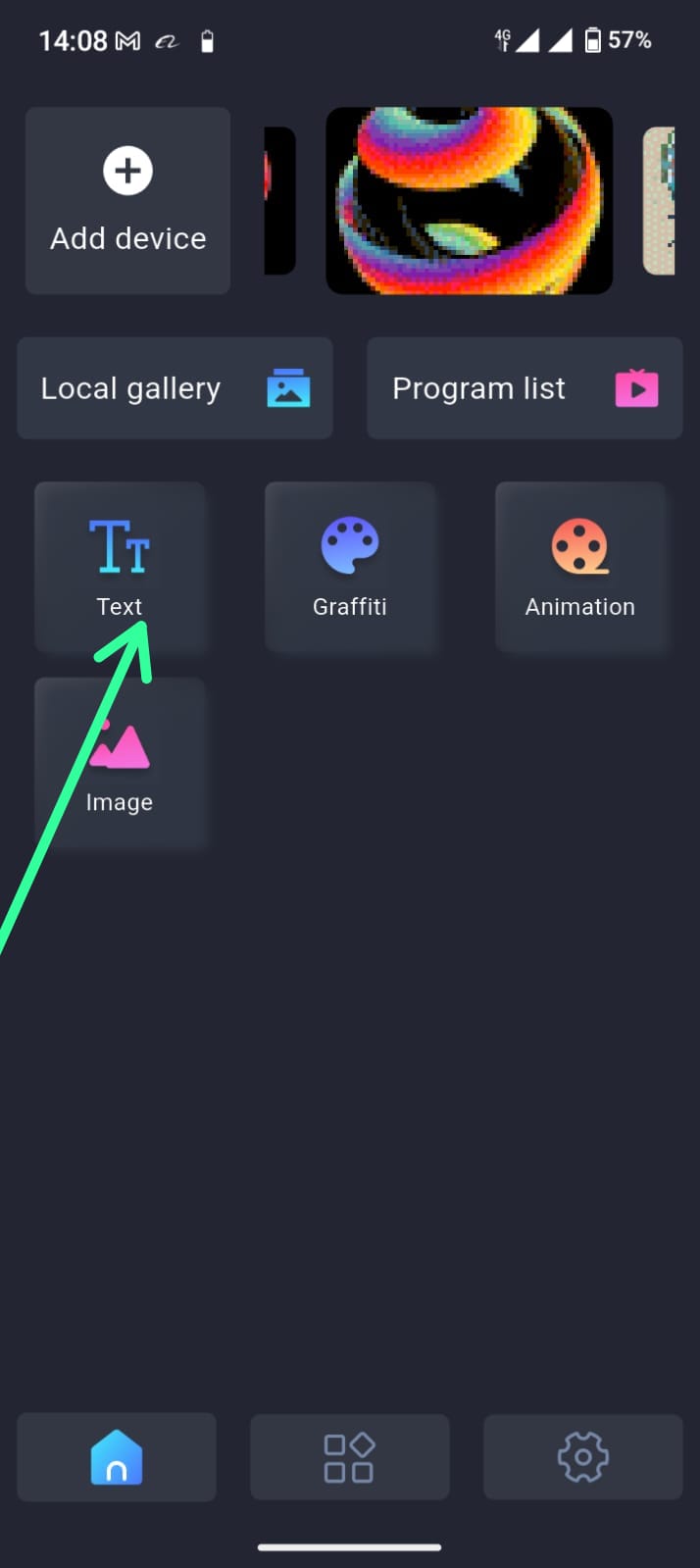
  • Click on the Text Tab Icon
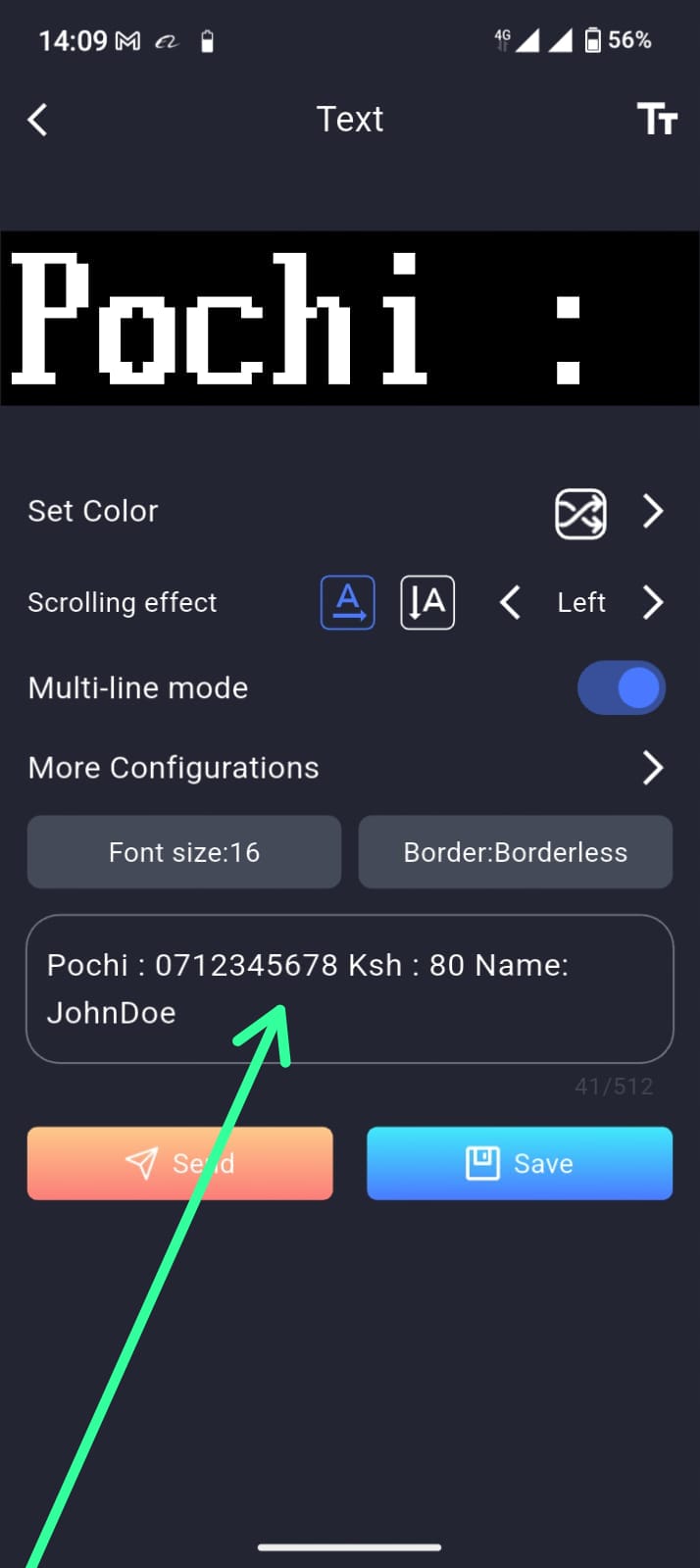
  • Enter your preferred  Text on the Textarea provided
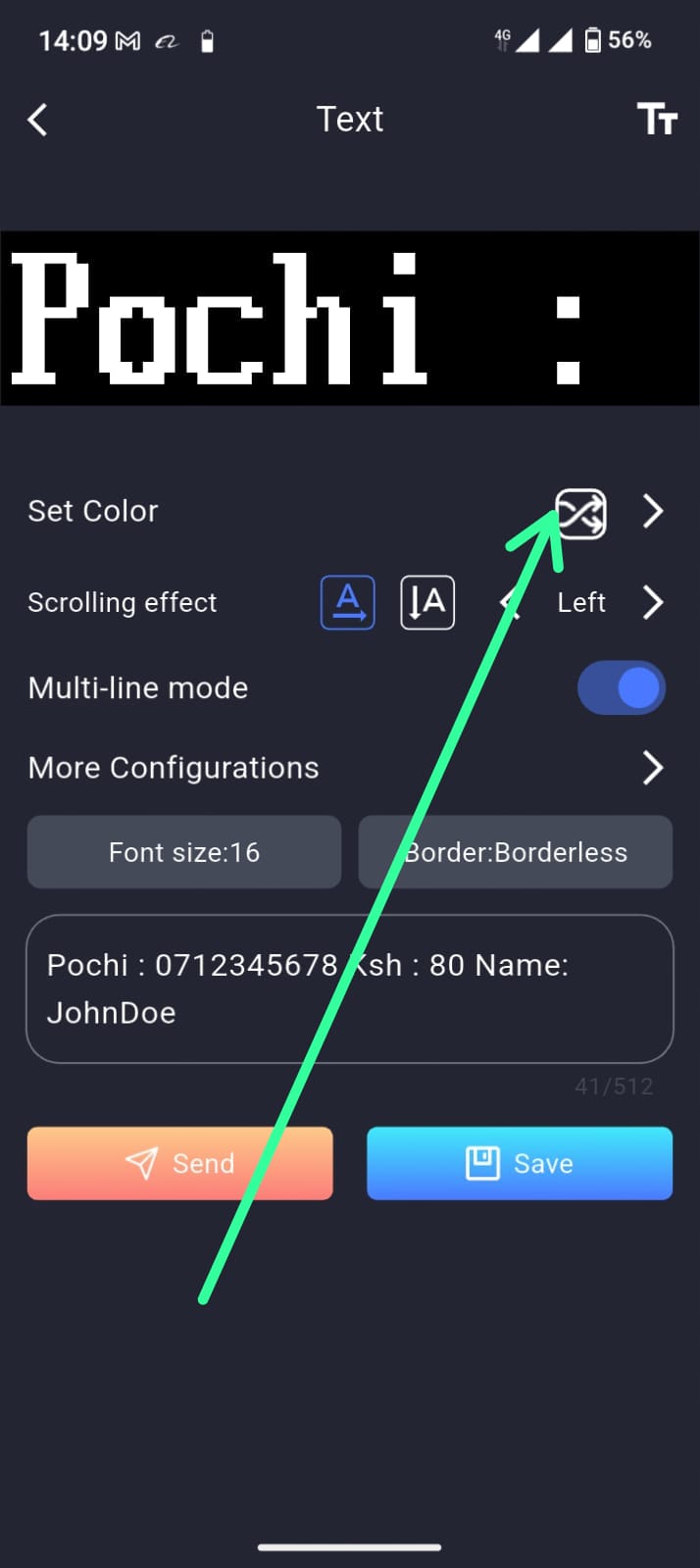
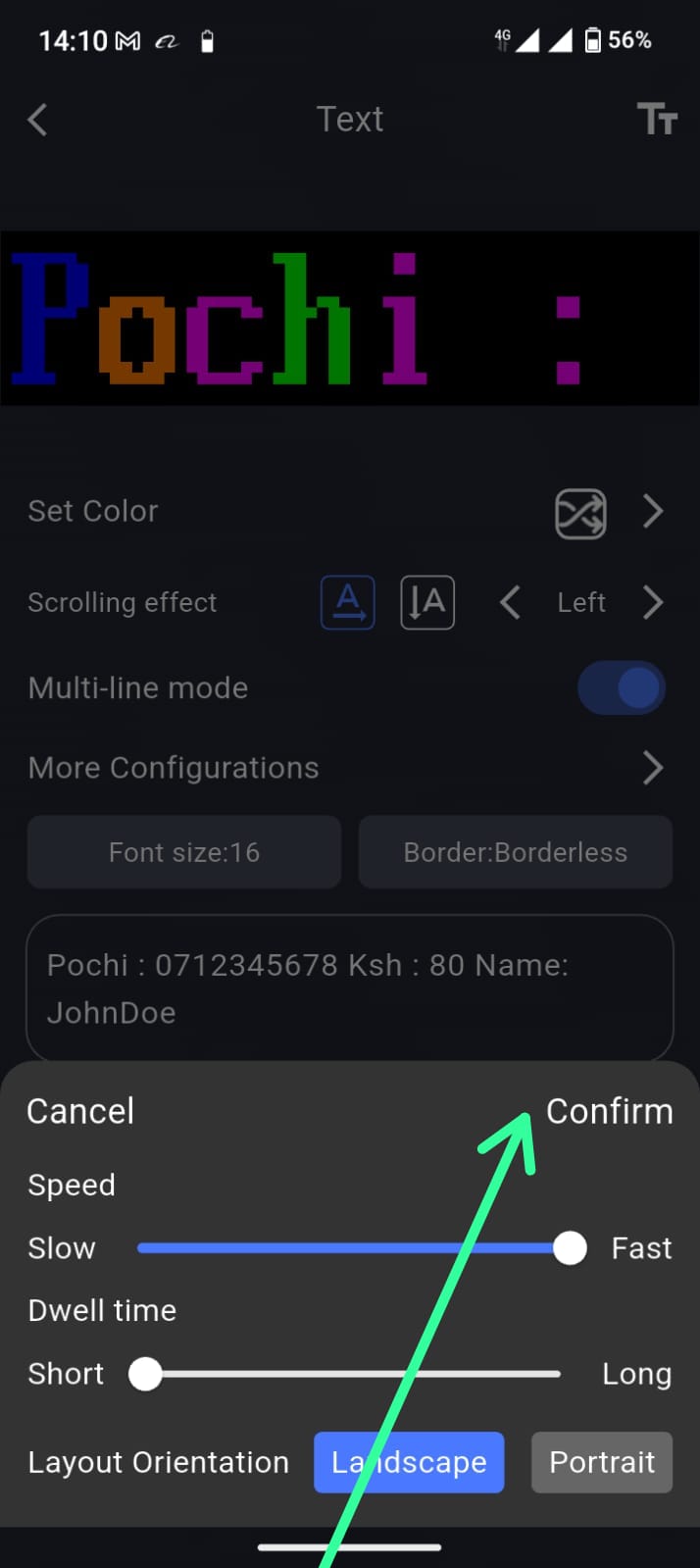
  • Change the Text Color by clicking the Set Color Icon. Select the Perfect Color for your text . Then Click confirm
  • Change Scrolling Effect, Either Left or Snow . Then Click Confirm
  • To change the Speed of the text, Click on More Configurations then adjust the Speed of the Text. Then Click Confirm
  • Click Send Button to make the text display on the Device
  • If your satisfied with the text. Save the Text to Reuse the Text Later. Choose the Perfect make for the text Program
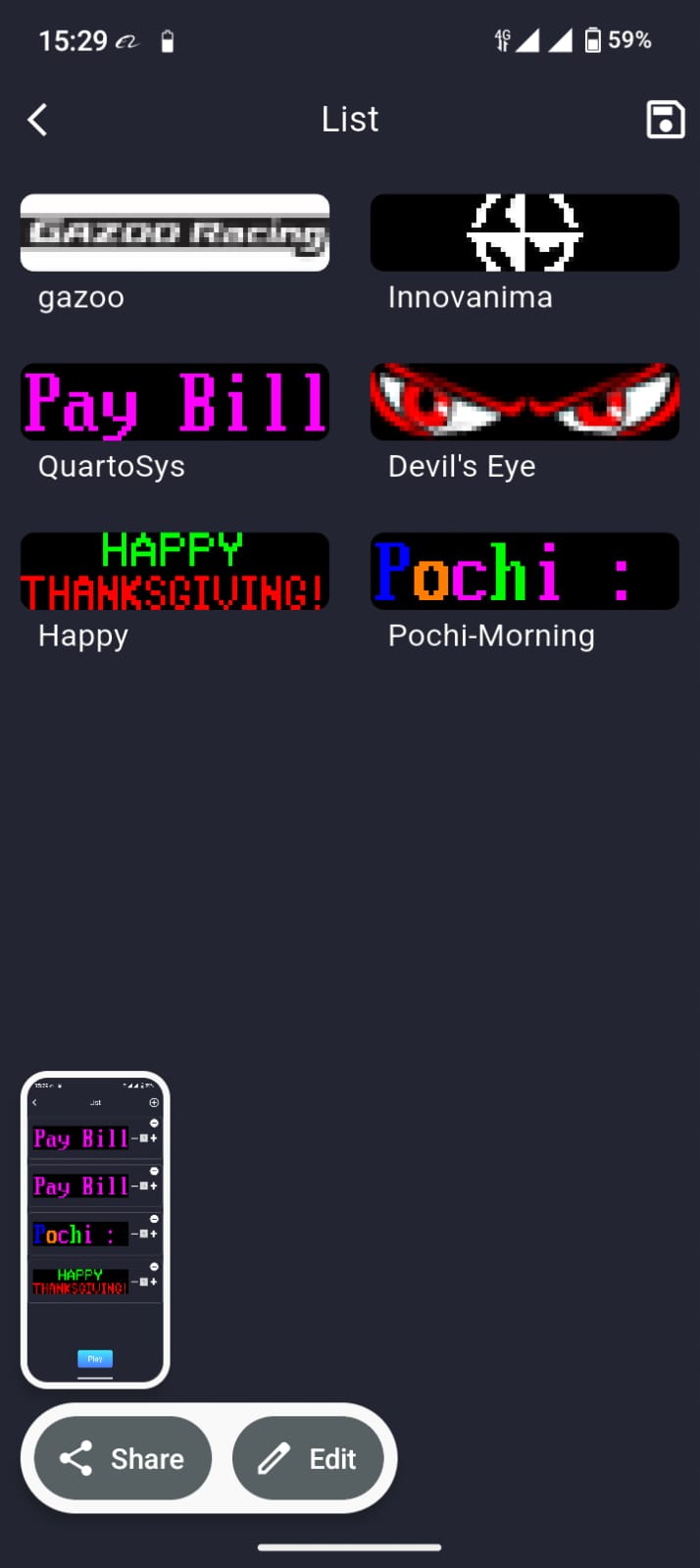
Yes you can Manage repetitive text via the use of Program List.  First make sure you save the text with a Proper program name.
  • Click on Program list Icon
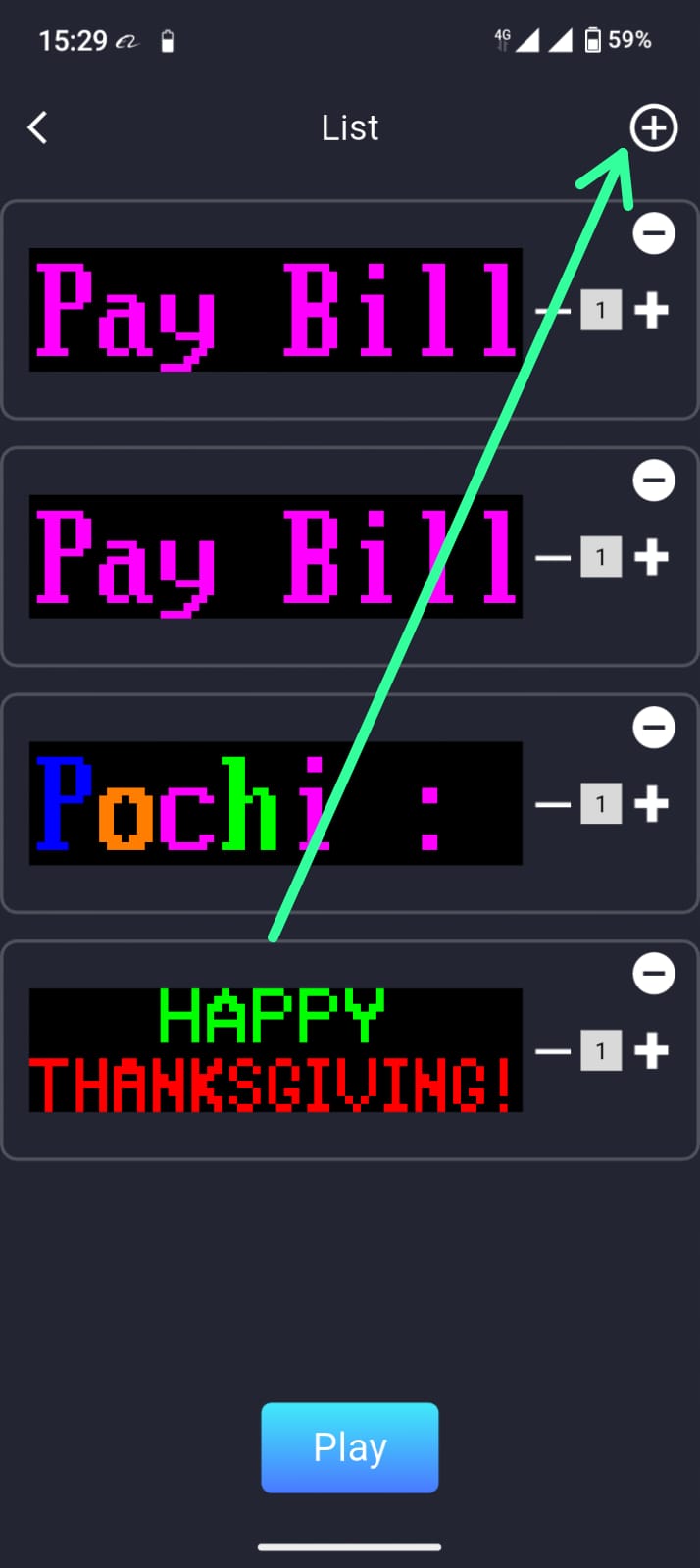
  • From the Top Right corner click on the Plus Icon
  • Select the Preferred Program you need to Include on device then Click the save Button
  • Incase you need a particular program to run more than one time increase by click the Plus Icon adjacent to the program.
  • Then click the Play Button Below.

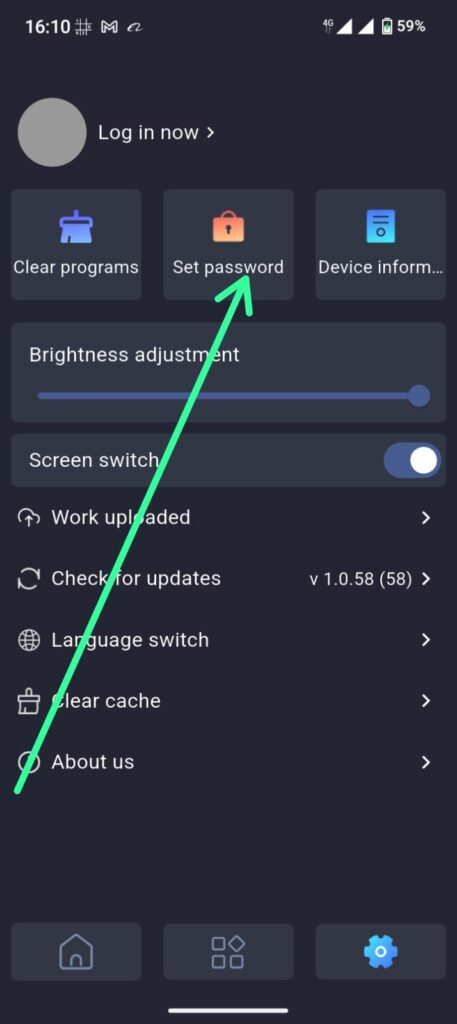
Yes you can restrict other Mobile user from connecting to the LED Device by setting the Password from the Settings Section

WhatsApp Image 2026-04-23 at 16.11.16